> For the complete documentation index, see [llms.txt](https://wilcode-net.gitbook.io/wilcode-apps/llms.txt). Markdown versions of documentation pages are available by appending `.md` to page URLs; this page is available as [Markdown](https://wilcode-net.gitbook.io/wilcode-apps/amazon-importer-app/how-to/turn-on-price-and-stock-auto-sync.md).
# Turn on price and stock auto-sync
Keep your Shopify prices and availability aligned with Amazon automatically.
Auto-sync keeps your imported products aligned with Amazon, so your prices and availability stay current without manual work.
### Turn on auto-sync for your store
Go to **Settings → General Settings** and enable the options you want:
* **Sync price** — update prices when Amazon prices change.
* **Sync stock** — update availability when a product goes in or out of stock on Amazon.
### Control sync per product and per variant
You can fine-tune what gets synced:
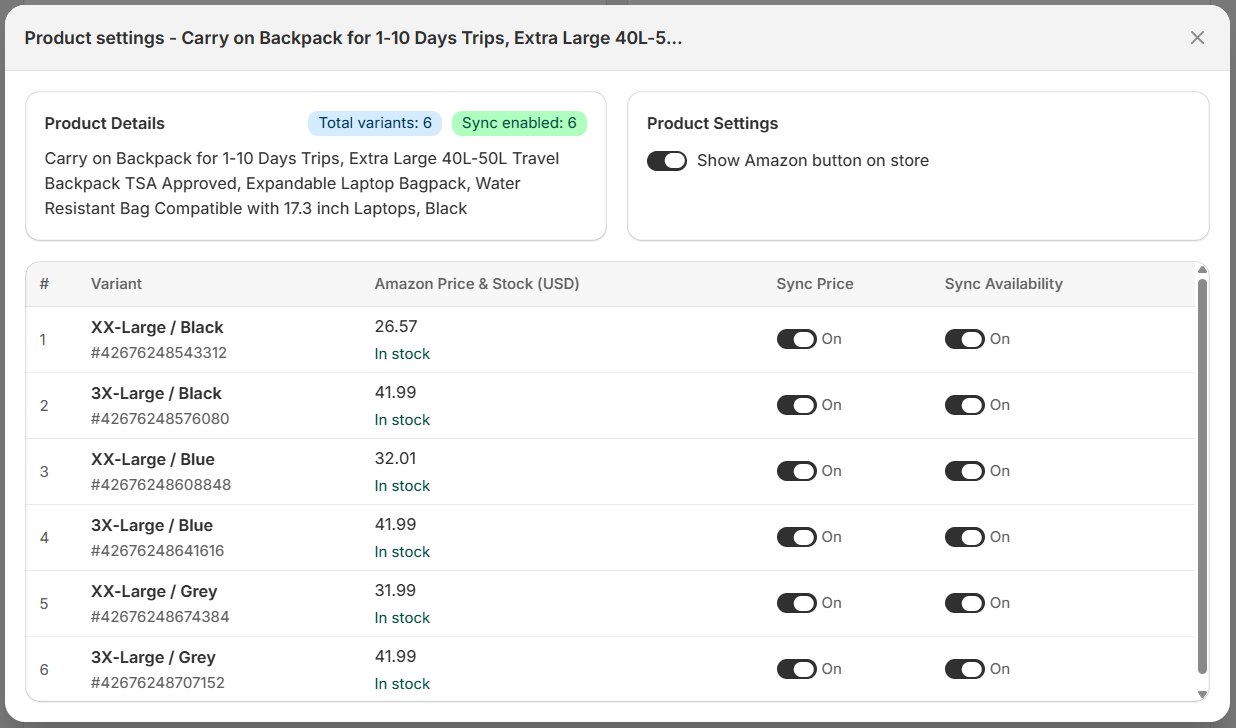
* On the **Products** page, use **Bulk toggle sync** to turn price/stock sync on or off for many products at once.
* Open a product's **Variant Sync** action to switch **sync price** and **sync stock** on or off for each individual variant.
## What to expect
* Auto-sync updates up to 1,500 product variants per day. If your store has more than 1,500 variants, the remaining ones are updated during the next daily sync, in import order.
* When a price updates, your [markup](/wilcode-apps/amazon-importer-app/how-to/set-up-pricing-and-markup.md) is automatically re-applied to the new Amazon price.
* Auto-sync updates the availability status (In Stock / Out of Stock), not the exact quantity available on Amazon.
{% hint style="warning" %}
If **Sync stock** is off in Settings, per-product sync switches have no effect. Make sure sync is enabled at the store level first.
{% endhint %}
For a deeper explanation, see [How price and stock auto-sync works](/wilcode-apps/amazon-importer-app/faq/how-price-and-stock-auto-sync-works.md).
***
{% hint style="info" icon="comments-question" %}
**Need help?** Open the **Support** menu in the top-right corner of any app page and choose [Live Chat](https://tawk.to/chat/6a328f3217693e1d43ea90f9/1jranuncv) or **Email support**.
{% endhint %}