> For the complete documentation index, see [llms.txt](https://wilcode-net.gitbook.io/wilcode-apps/llms.txt). Markdown versions of documentation pages are available by appending `.md` to page URLs; this page is available as [Markdown](https://wilcode-net.gitbook.io/wilcode-apps/amazon-importer-app/how-to/import-products-individually.md).
# Import products individually
Add a single Amazon product to your Shopify store from its URL.
Find a product on Amazon and import it to Shopify instantly. Every variant, image, and product description comes across automatically.
{% hint style="warning" icon="circle-info" %}
**Product Authorization Notice:** Make sure you have the rights to import and sell each product. Importing or reselling copyrighted or trademarked products without permission is prohibited
{% endhint %}
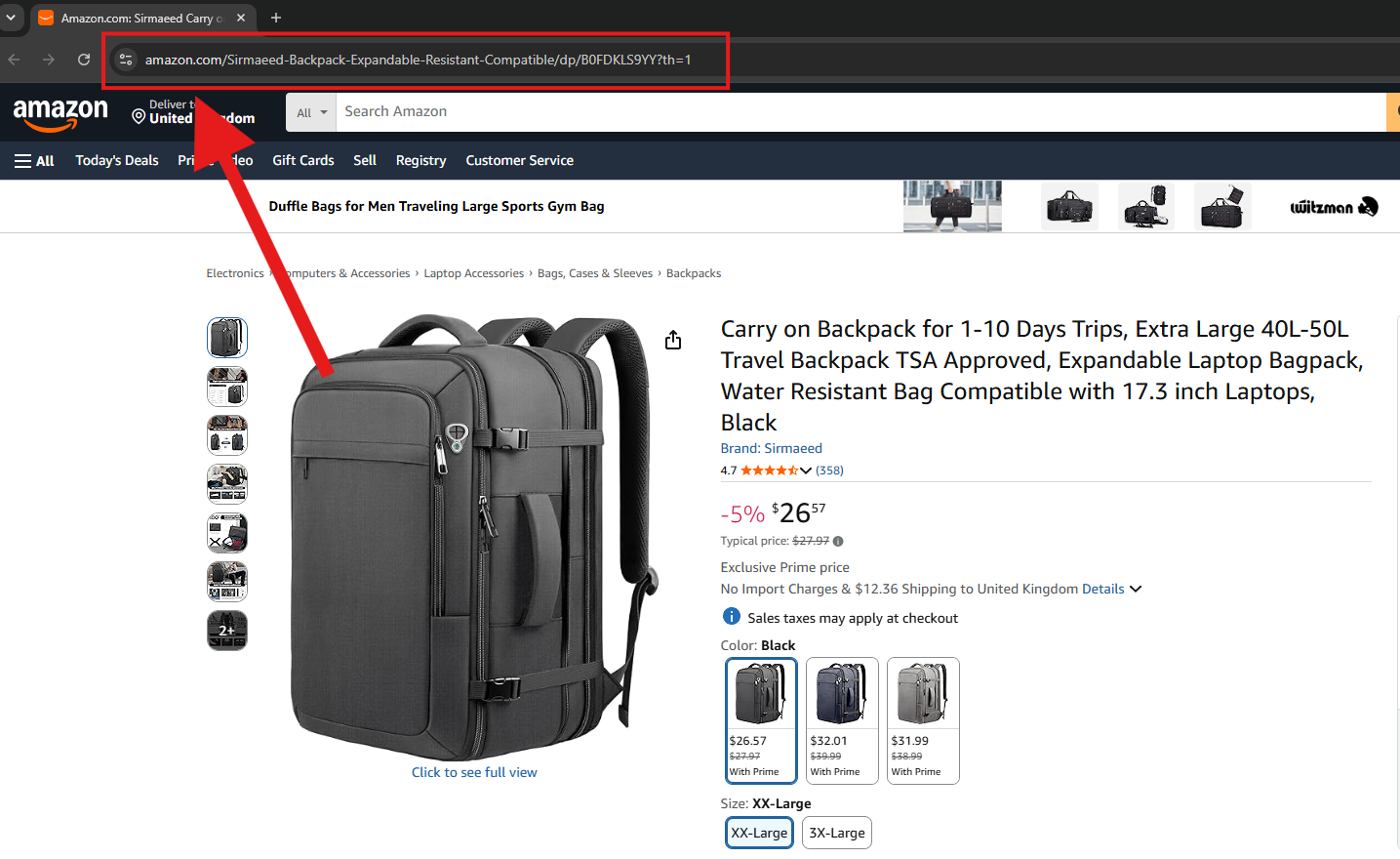
### 1. Copy the Amazon product URL
Open the product page on Amazon and copy the full URL from your browser's address bar. The format usually looks like **amazon.com/dp/XXXXXXXXXXX**.
Copy the full URL on the Amazon product page
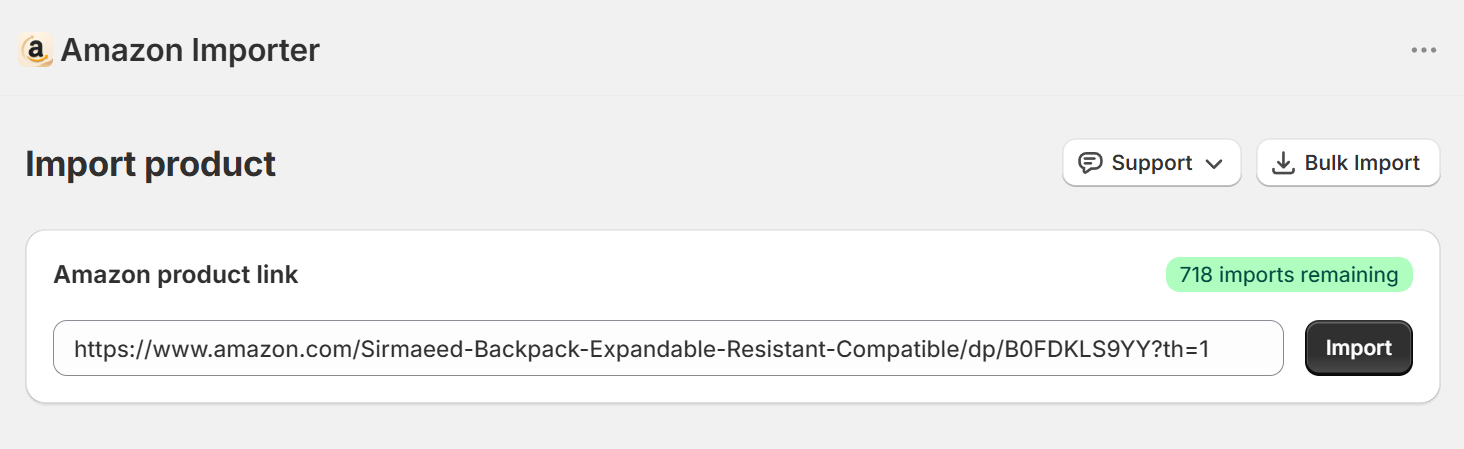
### 2. Paste the link and click Import
Open the **Amazon Importer** app from your Shopify admin. On the home page, paste the link into the **Amazon product link** field and click **Import**. The app reads the product structure — title, images, and variants — so you can review it before importing.
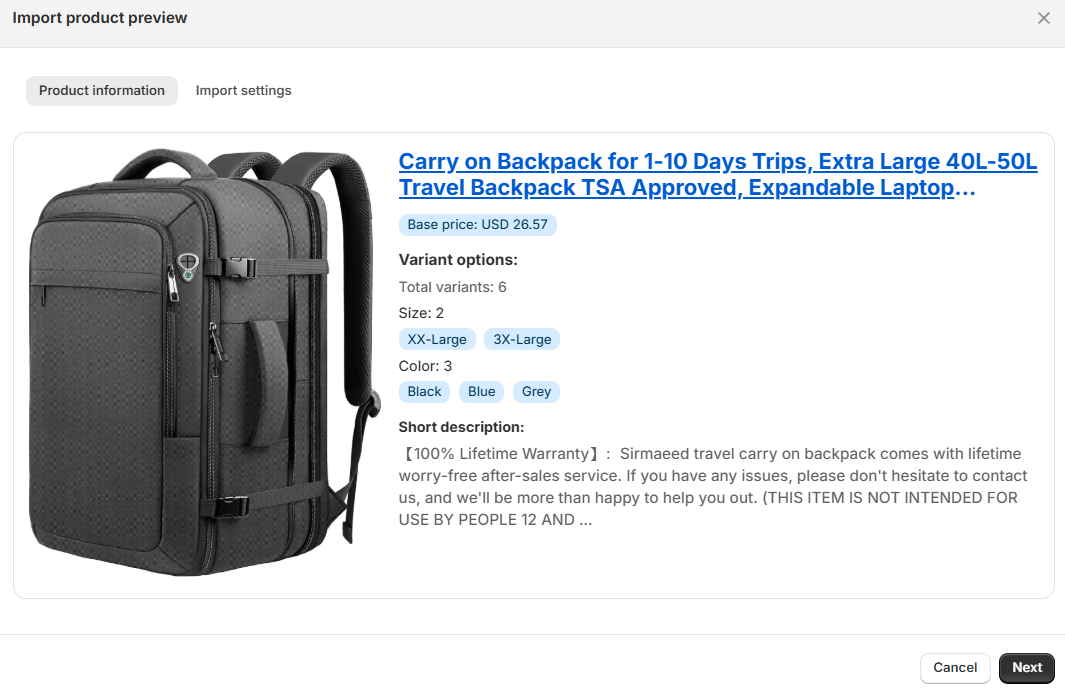
### 3. Review the preview and choose import settings
**Product info** — the title, images, and variants pulled from Amazon.
Product preview with details
{% hint style="info" %}
**All images are imported for the main product. Each variant imports only one thumbnail image.**
{% endhint %}
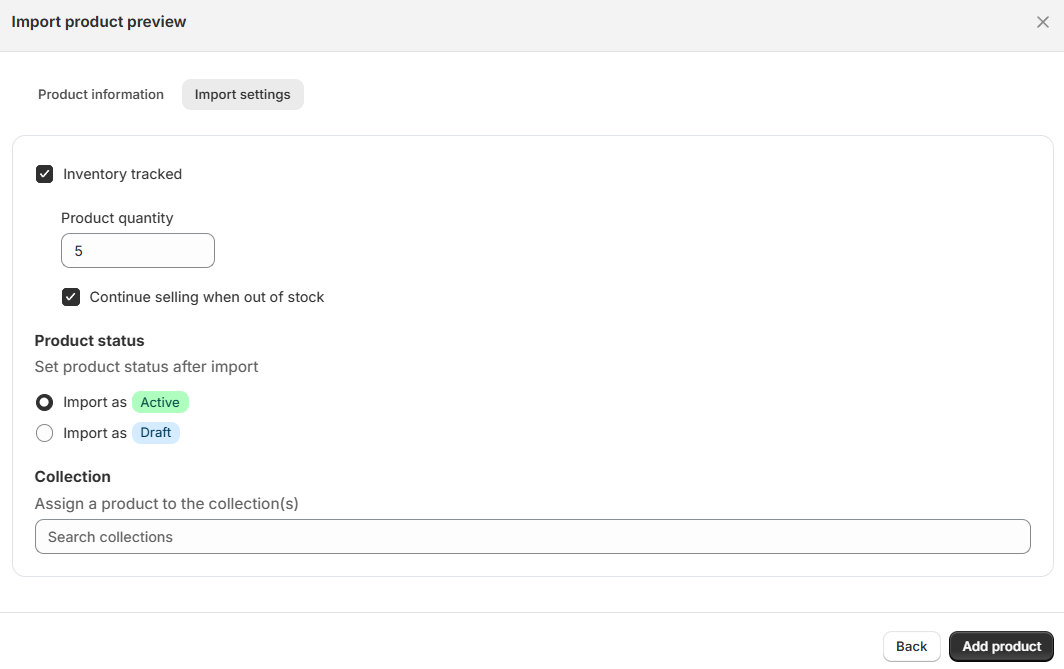
**Import settings** — where you choose:
* **Inventory tracked** (on/off) and the **product quantity**
* **Continue selling when out of stock**
* The **product status** after import — **Active** (visible to customers) or **Draft** (so you can edit first)
* The **Collections** to add the product to
{% hint style="success" %}
Choose **Draft** if you want to edit the title, description, or price before customers can see the product.
{% endhint %}
Options when importing products
### 4. Click Add Product
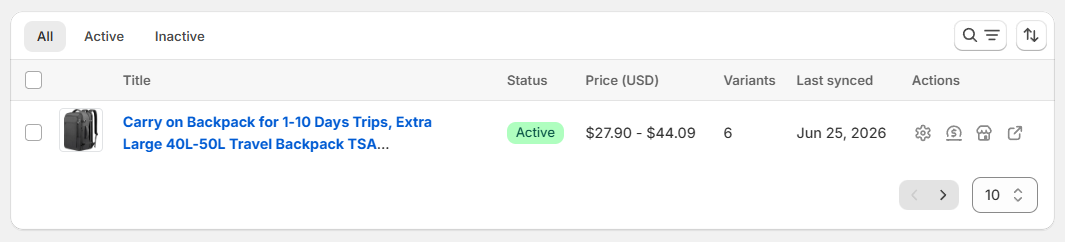
The app applies your [pricing markup rules](/wilcode-apps/amazon-importer-app/how-to/set-up-pricing-and-markup.md), and creates the product on Shopify. You'll find it afterward on the **Products** page.
Import successful, the product is now available on your Shopify store.
{% hint style="info" %}
**Already imported this product?** The app detects duplicate products. Instead of creating a copy, it lets you update the existing product, keeping your collections and settings. **Variant prices, new variants, and other product details are refreshed automatically.**
{% endhint %}
{% hint style="warning" %}
**Remember:** the app runs in **manual mode**. Order fulfillment and shipping are your responsibility — auto-fulfillment is not available.
{% endhint %}
***
{% hint style="info" icon="comments-question" %}
**Need help?** Open the **Support** menu in the top-right corner of any app page and choose [Live Chat](https://tawk.to/chat/6a328f3217693e1d43ea90f9/1jranuncv) or **Email support**.
{% endhint %}